Time Blocking Agenda Layout
Time Blocking Agenda Layout: Structuring Your Day for Peak Productivity
Time blocking is a powerful time management technique that involves scheduling specific blocks of time for specific tasks. Unlike to-do lists, which can be overwhelming and lead to procrastination, time blocking forces you to allocate time to everything you need to do, transforming abstract goals into concrete commitments.
The Core Principles of Time Blocking
At its heart, time blocking is about proactive control over your day. Instead of reacting to incoming requests and demands, you predetermine how you’ll spend your time, ensuring that your priorities receive the attention they deserve. Here are the core principles:
- Specificity: Assign specific tasks, not just broad categories (e.g., “Write report,” not just “Work”).
- Duration: Estimate how long each task will take and allocate a corresponding block of time.
- Priority: Schedule high-priority tasks during your peak energy hours.
- Buffer Time: Incorporate buffer time to account for unexpected interruptions or tasks that take longer than anticipated.
- Flexibility: While structure is key, remain flexible enough to adjust your schedule as needed.
Creating Your Time Blocking Agenda Layout
Crafting an effective time blocking agenda layout requires careful planning and consideration of your personal work style. Here’s a step-by-step guide to creating one:
1. Identify Your Priorities
Before you start filling your calendar, identify your most important tasks and goals. What are the projects that need immediate attention? What are your long-term objectives? Make a list of these high-priority items. These will be the cornerstones of your time block schedule.
2. Analyze Your Energy Levels
Everyone has natural fluctuations in energy levels throughout the day. Some are morning people, while others are more productive in the afternoon or evening. Determine when you’re at your peak and schedule your most demanding tasks for those times. Reserve periods of lower energy for less intensive activities, such as responding to emails or doing administrative work.
3. Choose Your Time Blocking Tool
You have several options for creating your time blocking agenda:
- Digital Calendar: Google Calendar, Outlook Calendar, or other digital calendars are popular choices. They offer features like reminders, recurring events, and easy rescheduling.
- Paper Planner: A physical planner can provide a more tactile and visual experience. Look for planners with hourly or half-hourly breakdowns.
- Time Blocking Apps: Several apps are specifically designed for time blocking, offering features like automated scheduling and progress tracking. Examples include Todoist, Clockify, and Plan.
Select the tool that best aligns with your preferences and workflow.
4. Start Blocking Time
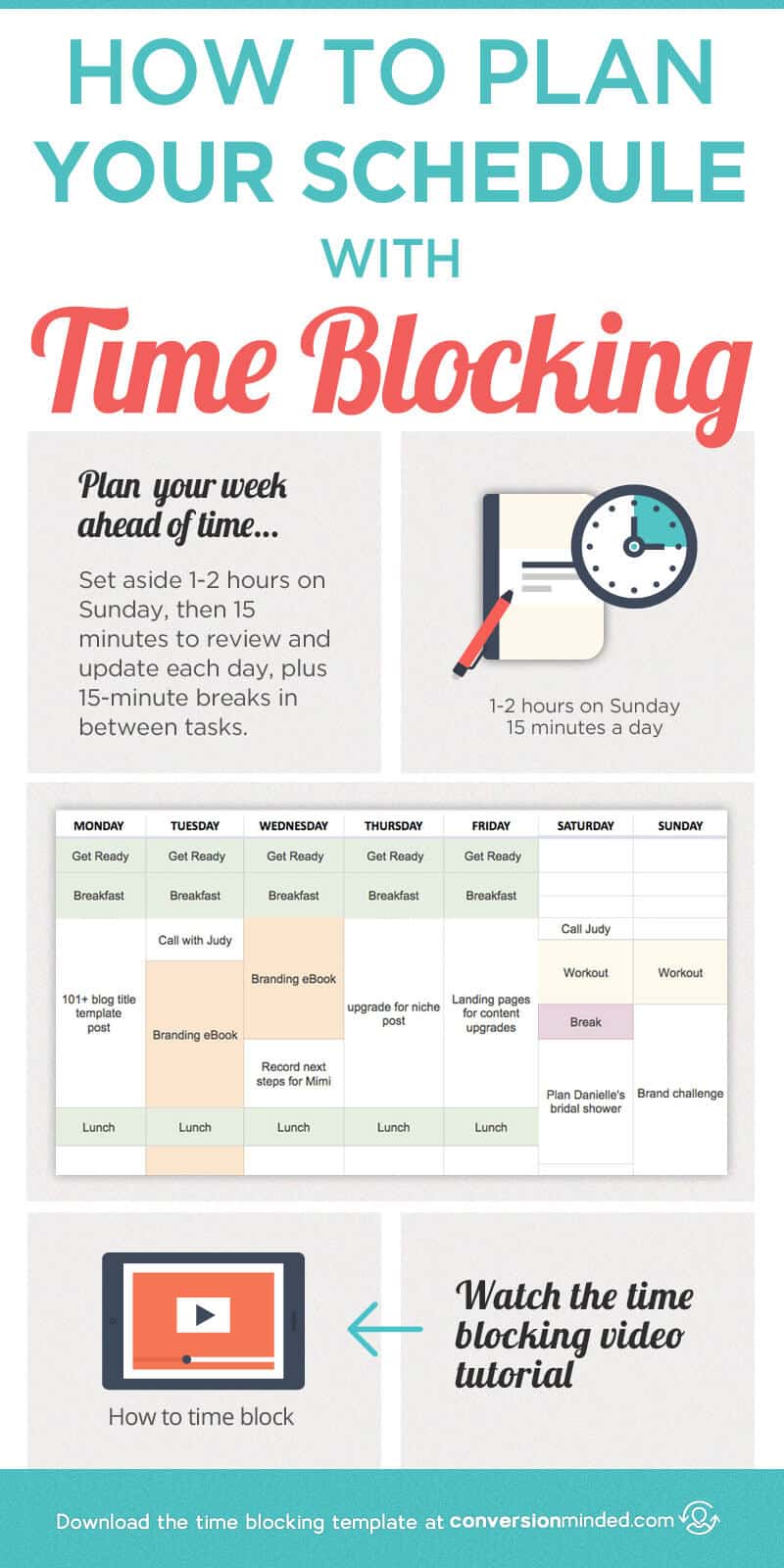
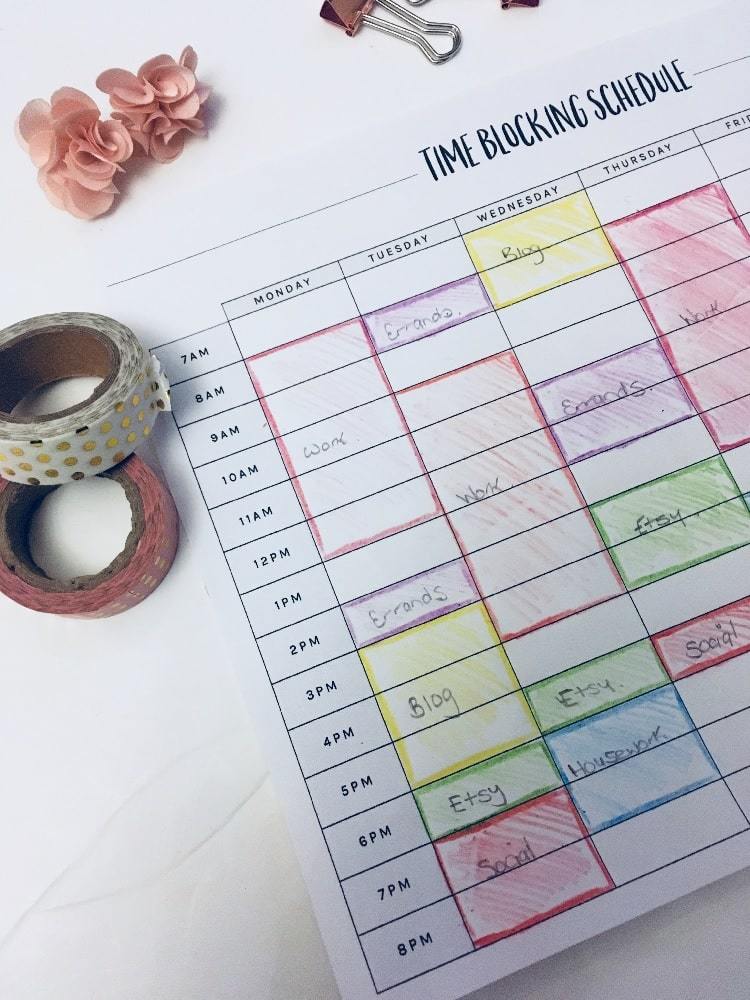
Now it’s time to start filling your calendar. Begin with your most important tasks and allocate specific blocks of time for them. Be realistic about how long each task will take. It’s better to overestimate than underestimate. Use descriptive names for your blocks (e.g., “Write introduction for report” instead of just “Report”). Color-coding can also be helpful for visually distinguishing different types of tasks.
Here’s an example layout using a digital calendar:
- 7:00 AM – 8:00 AM: Morning Routine (exercise, breakfast, meditation)
- 8:00 AM – 9:00 AM: Check Emails and Respond to Urgent Messages
- 9:00 AM – 11:00 AM: Focused Work – Project A (complete task 1)
- 11:00 AM – 11:30 AM: Break/Walk
- 11:30 AM – 1:00 PM: Focused Work – Project A (complete task 2)
- 1:00 PM – 2:00 PM: Lunch
- 2:00 PM – 3:00 PM: Meetings/Calls
- 3:00 PM – 4:00 PM: Focused Work – Project B (outline key points)
- 4:00 PM – 5:00 PM: Administrative Tasks (filing, expense reports)
- 5:00 PM – 5:30 PM: Plan for Tomorrow
- 5:30 PM onwards: Personal Time
5. Incorporate Buffer Time
Don’t pack your schedule too tightly. Leave room for unexpected interruptions, delays, or tasks that take longer than anticipated. Buffer time acts as a safety net, preventing your entire schedule from derailing if something goes wrong. Allocate 15-30 minutes of buffer time between tasks or at the end of the day.
6. Schedule Breaks and Downtime
Productivity isn’t about working non-stop. Regular breaks are essential for maintaining focus and preventing burnout. Schedule short breaks every hour or two to stretch, walk around, or simply rest your eyes. Also, ensure you schedule longer breaks for lunch and personal activities.
7. Review and Adjust Your Schedule Regularly
Time blocking is not a set-it-and-forget-it approach. Review your schedule at the end of each day to see what worked and what didn’t. Did you accurately estimate the time required for each task? Did you encounter any unexpected interruptions? Adjust your schedule accordingly for the next day. Regularly review your schedule on a weekly basis to ensure it aligns with your overall goals.
Tips for Effective Time Blocking
- Be Realistic: Don’t try to cram too much into your schedule. Be honest about how long tasks will actually take.
- Minimize Distractions: Turn off notifications, close unnecessary tabs, and find a quiet workspace to minimize distractions during focused work blocks.
- Batch Similar Tasks: Group similar tasks together to minimize context switching and increase efficiency. For example, dedicate a block of time specifically for responding to emails or making phone calls.
- Prioritize Deep Work: Schedule blocks of uninterrupted time for deep, focused work on your most important tasks.
- Be Kind to Yourself: Don’t get discouraged if you don’t always stick to your schedule perfectly. Time blocking is a learning process. Just keep refining your approach and you’ll gradually become more effective at managing your time.
Conclusion
Time blocking is a valuable technique for anyone looking to improve their productivity and take control of their day. By creating a structured agenda layout, you can ensure that your priorities receive the attention they deserve and make significant progress towards your goals. Remember to be flexible, adaptable, and persistent in your time blocking efforts. Over time, you’ll develop a system that works best for you and helps you achieve peak productivity.
 800×1600 plan schedule time blocking template from conversionminded.com
  750×1000 printable time blocking templates updated from www.developgoodhabits.com
  800×800 time blocking technique ive easier podcast from easiercast.com
  1024×909 schedule time blocking templates everhour blog from everhour.com
  1920×935 top time blocking templates boost team productivity from everhour.com
  4032×3024 time blocking beginners amanda warfield from amandawarfield.com


Time Blocking Agenda Layout :
Time Blocking Agenda Layout was posted in June 28, 2025 at 3:51 am. If you wanna have it as yours, please click the Pictures and you will go to click right mouse then Save Image As and Click Save and download the Time Blocking Agenda Layout Picture.. Don’t forget to share this picture with others via Facebook, Twitter, Pinterest or other social medias! we do hope you'll get inspired by SampleTemplates123... Thanks again! If you have any DMCA issues on this post, please contact us!
Related For Time Blocking Agenda Layout
Procurement Meeting Agenda
Procurement Meeting Agenda: Streamlining Efficiency and Maximizing Value A
Brand Strategy Agenda Outline
Brand Strategy Agenda Outline Brand Strategy Agenda Outline AQA Team Agenda Format
QA Team Agenda Format QA Team Agenda Format: A