Time Tracking Agenda Format
Crafting Effective Time Tracking Agendas: A Guide
Time tracking, often perceived as a tedious administrative task, is in reality a powerful tool for boosting productivity, improving project management, and gaining valuable insights into how time is spent. A well-structured time tracking agenda transforms this potential into tangible results. This guide delves into the essential elements of a comprehensive time tracking agenda format, emphasizing best practices for implementation and ongoing optimization.
The Foundation: Defining Objectives
Before diving into the specific elements of the agenda, it’s crucial to define the underlying objectives. Ask yourself: what are we trying to achieve with time tracking? Common objectives include:
- Project Costing and Budgeting: Accurate time tracking enables precise cost estimation for projects, ensuring that budgets are realistic and adhered to.
- Client Billing: For service-based businesses, time tracking is essential for accurate and transparent client billing.
- Productivity Analysis: Understanding how time is allocated to different tasks reveals areas for improvement in individual and team productivity.
- Resource Allocation: Time tracking data helps in optimizing resource allocation, ensuring that the right people are working on the right tasks at the right time.
- Project Planning and Forecasting: Past time tracking data provides valuable insights for future project planning and forecasting.
- Compliance and Reporting: Some industries require detailed time tracking for regulatory compliance and reporting purposes.
Clearly articulating these objectives will guide the development of a relevant and effective time tracking agenda.
Key Elements of a Time Tracking Agenda
A robust time tracking agenda format should encompass the following elements:
1. Project and Task Categorization
This is the cornerstone of any effective time tracking system. Projects should be clearly defined and broken down into smaller, manageable tasks. Establish a consistent naming convention for projects and tasks to ensure clarity and consistency across the team. Consider using project codes or numbering systems to further organize the data. For example:
- Project: Website Redesign (WR-2024)
- Task: Content Creation (WR-2024-CC)
- Task: Design Mockups (WR-2024-DM)
- Task: Front-End Development (WR-2024-FE)
Detailed task descriptions are vital. Avoid vague entries like “Work on project.” Instead, use specific descriptions such as “Developing homepage hero section” or “Revising blog post draft based on client feedback.”
2. Time Entry Fields
The core of the agenda is the time entry itself. The following fields are essential:
- Date: The date the work was performed.
- Project: The project the work relates to.
- Task: The specific task performed.
- Start Time: The time the task began.
- End Time: The time the task ended.
- Duration: The total time spent on the task (automatically calculated based on start and end times).
- Notes/Description: A detailed description of the work completed. This field is crucial for providing context and clarity.
- Billable/Non-Billable: Indicates whether the time is billable to a client or considered internal work.
- Employee/User: The name of the person who performed the work.
Consider adding custom fields relevant to your specific needs. For example, a “Department” field for internal projects or a “Location” field for remote teams.
3. Submission and Approval Workflow
Establish a clear process for submitting and approving time entries. This ensures accuracy and accountability. Implement a system where employees submit their time entries on a regular basis (e.g., daily, weekly, bi-weekly). Designate approvers (e.g., project managers, team leads) who review the time entries for accuracy and completeness before approval.
Consider using time tracking software with built-in approval workflows to streamline the process and provide an audit trail.
4. Reporting and Analysis
The value of time tracking lies in the insights gained from analyzing the data. The agenda should facilitate the creation of reports that provide meaningful information. Common report types include:
- Project Time Summary: Shows the total time spent on each project.
- Task Time Summary: Shows the total time spent on each task.
- Employee Time Summary: Shows the total time spent by each employee.
- Billable vs. Non-Billable Time: Provides a breakdown of billable and non-billable hours.
- Variance Reports: Compares actual time spent against estimated time for projects and tasks.
These reports can be used to identify inefficiencies, track project progress, and make informed decisions about resource allocation and project planning. Ensure the chosen time tracking system offers customizable reporting options to meet specific needs.
5. Training and Communication
Effective implementation requires comprehensive training and clear communication. Provide training to all employees on how to use the time tracking system and adhere to the agenda. Clearly communicate the purpose of time tracking and how the data will be used. Address any concerns or resistance from employees by emphasizing the benefits of time tracking, such as improved project management and increased efficiency.
6. Regular Review and Optimization
The time tracking agenda should not be a static document. Regularly review and optimize the agenda based on feedback from users and analysis of the data. Are the project and task categories still relevant? Are the time entry fields providing the necessary information? Are the reports generating actionable insights? Continuously refine the agenda to ensure it remains effective and aligned with the evolving needs of the organization.
Tools and Technologies
A variety of tools and technologies are available to support time tracking, ranging from simple spreadsheets to sophisticated time tracking software. Consider the size and complexity of your organization and the specific requirements of your projects when choosing a tool. Factors to consider include:
- Ease of Use: The system should be intuitive and easy for employees to use.
- Features: The system should offer the features needed, such as project tracking, task management, reporting, and integration with other systems.
- Cost: The system should be affordable and provide a good return on investment.
- Scalability: The system should be able to scale as the organization grows.
Popular time tracking tools include Toggl Track, Clockify, Harvest, and Timely. Explore different options and choose the tool that best fits your specific needs.
Conclusion
A well-defined and consistently applied time tracking agenda format is a critical component of successful project management, accurate billing, and improved productivity. By focusing on clear objectives, detailed categorization, comprehensive time entry fields, efficient workflows, insightful reporting, and ongoing optimization, organizations can unlock the full potential of time tracking and drive significant business value.
 398×506 time tracking templates word templates from www.wordstemplates.org
  585×879 time tracking templates printable word excel formats from www.wordstemplates.org
  585×670 time tracking templates word excel templates from www.wordstemplates.org
  2908×1606 project time tracking template tracking spreadshee ms access project from db-excel.com
  2500×1126 time tracking spreadsheets excel templatelab from templatelab.com
 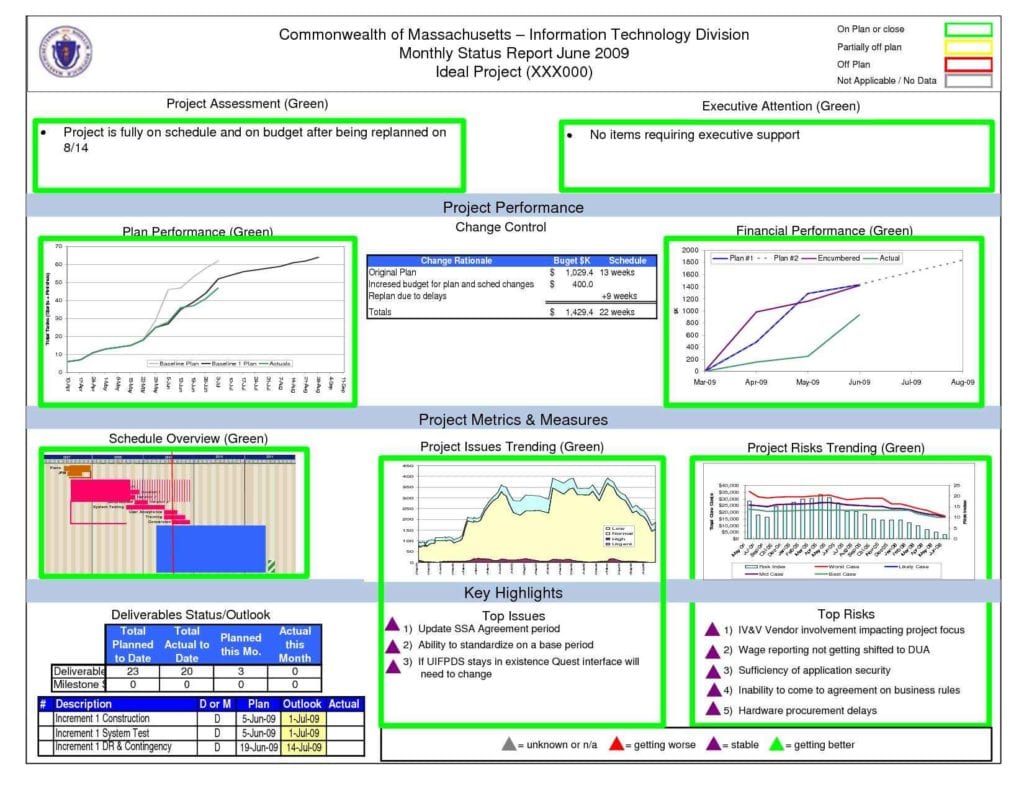 1024×791 time tracking spreadsheet template excelxocom from excelxo.com
 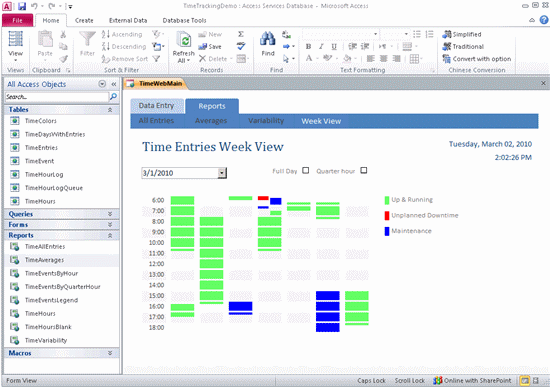 550×387 time tracking template time billing from access.microsofttemplates.org
 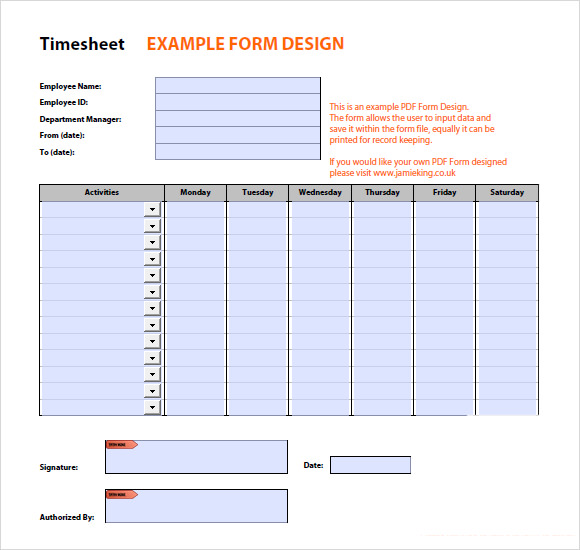 580×550 time tracking templates sample templates from www.sampletemplates.com




Time Tracking Agenda Format :
Time Tracking Agenda Format was posted in July 22, 2025 at 1:55 pm. If you wanna have it as yours, please click the Pictures and you will go to click right mouse then Save Image As and Click Save and download the Time Tracking Agenda Format Picture.. Don’t forget to share this picture with others via Facebook, Twitter, Pinterest or other social medias! we do hope you'll get inspired by SampleTemplates123... Thanks again! If you have any DMCA issues on this post, please contact us!