E-learning Agenda Outline
E-Learning Agenda Outline: A Comprehensive Guide
Creating an effective e-learning agenda is crucial for a successful online learning experience. It’s more than just a schedule; it’s a roadmap that guides learners through the course, keeping them engaged, informed, and motivated. This outline details the key components to consider when crafting a robust and impactful e-learning agenda.
I. Course Overview and Introduction
This section sets the stage for the entire e-learning experience. It’s the first impression, and a strong one is essential.
- Welcome and Introductions: Begin with a warm welcome message that acknowledges the learner’s investment in the course. Briefly introduce the instructor(s) or facilitators, highlighting their expertise and providing contact information or preferred communication channels. Consider a brief video introduction to add a personal touch.
- Course Description and Objectives: Clearly state the purpose of the course, its intended audience, and the overall learning goals. Outline what learners will be able to do upon completion. Use action verbs (e.g., “analyze,” “design,” “implement”) to make the objectives measurable and specific.
- Course Structure and Modules: Provide a high-level overview of the course structure, breaking it down into modules or sections. Briefly describe the content covered in each module and the logical flow between them. A visual representation, like a flowchart, can be helpful.
- Prerequisites and Technical Requirements: Specify any prior knowledge or skills required for the course. Detail the necessary software, hardware, or internet bandwidth requirements. This ensures learners are prepared and can avoid technical difficulties later. Include links to download software or troubleshoot common issues.
- Navigation and Platform Tour: Familiarize learners with the e-learning platform. Explain how to access course materials, submit assignments, participate in discussions, and track progress. Provide screenshots or short video tutorials to guide them through the interface.
II. Module-Specific Content
This section forms the core of the e-learning agenda, detailing the content and activities within each module.
- Module Title and Introduction: Each module should have a clear and descriptive title that reflects its content. Begin with a brief introduction outlining the module’s purpose, learning objectives, and relevance to the overall course goals.
- Learning Objectives: Restate the specific learning objectives for the module. These objectives should be aligned with the overall course objectives and be measurable. Use the SMART (Specific, Measurable, Achievable, Relevant, Time-bound) criteria to ensure their effectiveness.
- Content Delivery: Plan the delivery of the module’s content. This might include:
- Readings: Provide links to relevant articles, book chapters, or online resources. Specify the reading time required and highlight key concepts.
- Videos: Incorporate engaging video lectures, demonstrations, or case studies. Keep videos concise and break down complex topics into smaller segments. Ensure videos are accessible with captions and transcripts.
- Presentations: Utilize visually appealing presentations with clear and concise information. Avoid overwhelming learners with too much text.
- Interactive Elements: Include interactive elements like quizzes, polls, simulations, or games to enhance engagement and knowledge retention.
- Activities and Assignments: Design activities and assignments that allow learners to apply their knowledge and practice new skills. These might include:
- Discussion Forums: Create opportunities for learners to interact with each other and the instructor. Pose thought-provoking questions and encourage meaningful discussions.
- Quizzes and Assessments: Use quizzes and assessments to gauge understanding and provide feedback. Offer formative assessments throughout the module to identify areas where learners may need additional support.
- Projects and Case Studies: Assign projects or case studies that require learners to apply their knowledge to real-world scenarios. Provide clear instructions and grading rubrics.
- Peer Review: Incorporate peer review activities to encourage collaboration and provide learners with different perspectives.
- Resources and Support: Provide access to additional resources, such as glossaries, templates, or external websites. Offer clear channels for learners to ask questions and receive support, such as a dedicated forum, email address, or virtual office hours.
- Module Summary and Wrap-up: Summarize the key concepts covered in the module and reinforce the learning objectives. Provide a clear transition to the next module.
III. Assessment and Grading
This section outlines how learners will be assessed and graded throughout the course.
- Assessment Methods: Clearly describe the assessment methods used in the course, such as quizzes, assignments, projects, and participation. Explain the weighting of each assessment component.
- Grading Rubrics: Provide detailed grading rubrics for all assignments and projects. Rubrics should clearly outline the criteria for evaluating learner performance and the points awarded for each criterion.
- Feedback Mechanisms: Explain how and when learners will receive feedback on their work. Provide constructive feedback that helps learners identify areas for improvement. Utilize different feedback methods, such as written comments, audio recordings, or video feedback.
- Academic Integrity Policy: Clearly state the academic integrity policy for the course. Explain the consequences of plagiarism or other forms of academic dishonesty.
IV. Communication and Collaboration
This section outlines the communication channels and collaboration opportunities available to learners.
- Communication Channels: Specify the preferred communication channels for the course, such as email, discussion forums, or virtual office hours. Set clear expectations for response times and communication etiquette.
- Discussion Forums: Encourage active participation in discussion forums by posing thought-provoking questions, facilitating discussions, and providing timely feedback.
- Collaboration Tools: Utilize collaboration tools, such as shared documents, wikis, or group projects, to foster teamwork and peer learning.
- Instructor Availability: Clearly state the instructor’s availability for answering questions and providing support. Specify the times for virtual office hours or other contact methods.
V. Technical Support
This section provides information on how learners can access technical support.
- Contact Information: Provide contact information for the technical support team. Include phone numbers, email addresses, and links to online help resources.
- Troubleshooting Guides: Offer troubleshooting guides for common technical issues. Include step-by-step instructions and screenshots.
- System Requirements: Reiterate the system requirements for the course and provide links to download necessary software or plugins.
VI. Course Policies and Guidelines
This section outlines the course policies and guidelines.
- Attendance and Participation: State the attendance and participation requirements for the course. Explain how attendance will be tracked and how participation will be graded.
- Late Submission Policy: Clearly define the policy for late submissions. Specify any penalties for late work and the process for requesting extensions.
- Accessibility Policy: Ensure the course is accessible to all learners, including those with disabilities. Provide alternative formats for course materials and offer accommodations as needed.
- Code of Conduct: Establish a code of conduct that promotes a respectful and inclusive learning environment.
VII. Schedule and Deadlines
This section provides a detailed schedule of all course activities and deadlines.
- Module Schedule: Provide a detailed schedule for each module, including start and end dates, reading assignments, activities, and deadlines.
- Assignment Deadlines: Clearly state the deadlines for all assignments and projects. Provide reminders and notifications as deadlines approach.
- Exam Dates: If applicable, specify the dates and times for all exams. Provide information on the exam format and content.
VIII. Conclusion
Crafting a comprehensive e-learning agenda requires careful planning and attention to detail. By incorporating these key elements, you can create an engaging and effective online learning experience that helps learners achieve their goals.
 700×481 agenda outline template word excel format from www.dotxes.com
  1920×1358 implementing learning agenda infographic learning from elearninginfographics.com
  960×720 essential elearning templates elearningart from elearningart.com
  600×600 digital agenda lesson templates stress teaching from stress-freeteaching.com
  350×350 distance learning agenda template happy hearts tpt from www.teacherspayteachers.com
  536×710 essential elements effective elearning template elearning from elearningindustry.com
  499×250 learning template rapid learning blog from blogs.articulate.com
 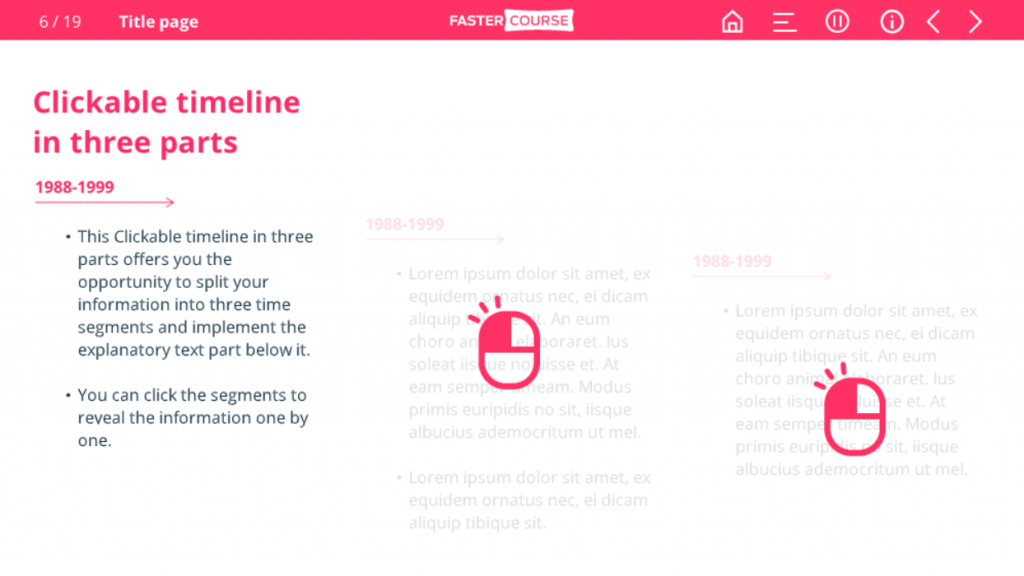 1024×576 elearning template types popular elearning templates from fastercourse.com


E-learning Agenda Outline :
E-learning Agenda Outline was posted in August 6, 2025 at 3:55 pm. If you wanna have it as yours, please click the Pictures and you will go to click right mouse then Save Image As and Click Save and download the E-learning Agenda Outline Picture.. Don’t forget to share this picture with others via Facebook, Twitter, Pinterest or other social medias! we do hope you'll get inspired by SampleTemplates123... Thanks again! If you have any DMCA issues on this post, please contact us!