Free Invoice Template For Freelancers & Consultants
Free Invoice Templates for Freelancers & Consultants: Streamline Your Billing
As a freelancer or consultant, your time is your most valuable asset. Spending hours creating invoices from scratch is time you could be dedicating to client work, professional development, or simply taking a much-deserved break. This is where free invoice templates come in as a game-changer, offering a streamlined and professional way to handle your billing processes.
Why Use an Invoice Template?
Invoice templates offer numerous benefits beyond just saving time. They can significantly improve the professionalism of your business, ensure accuracy in your billing, and facilitate faster payments. Here’s a breakdown of the key advantages:
- Time Savings: The most obvious benefit. Templates eliminate the need to design an invoice from the ground up each time. You simply fill in the details.
- Professionalism: A well-designed invoice template reinforces your brand identity and projects a professional image to your clients. This builds trust and confidence.
- Accuracy: Templates predefine essential fields, minimizing the risk of errors or omissions that could delay payments.
- Consistency: Using the same template for all your invoices ensures a consistent look and feel across your billing, reinforcing your brand.
- Improved Payment Speed: Clear, professional invoices with all the necessary information make it easier for clients to understand what they’re paying for, leading to faster payments.
- Organization: Templates help you organize your billing records and track outstanding payments more effectively.
Essential Elements of a Freelance/Consultant Invoice Template
A good invoice template includes all the essential information your clients need to understand and pay your invoice promptly. Here’s a checklist of key elements to include:
- Your Business Name and Contact Information: Your company name (or your name if you’re a sole proprietor), address, phone number, and email address.
- Client’s Name and Contact Information: The client’s company name (or individual name), address, and contact person.
- Invoice Number: A unique identifier for each invoice. Use a sequential numbering system for easy tracking (e.g., INV-001, INV-002).
- Invoice Date: The date the invoice was issued.
- Due Date: The date by which payment is expected. Specify this clearly to avoid confusion.
- Description of Services/Products: A detailed breakdown of the services or products provided. Be specific and avoid vague descriptions. For example, instead of “Consulting Services,” use “Strategic Marketing Consulting for Q3 2024.”
- Hourly Rate or Project Fee: Clearly state your hourly rate (if applicable) or the agreed-upon project fee.
- Quantity/Hours: The number of hours worked (if billing hourly) or the quantity of products delivered.
- Subtotal: The total amount before taxes and discounts.
- Taxes: Clearly itemize any applicable taxes (e.g., VAT, sales tax).
- Discounts (if applicable): If you’re offering a discount, specify the amount and the reason for the discount.
- Total Amount Due: The final amount the client needs to pay. Make this prominent and easy to find.
- Payment Terms: Clearly outline your payment terms, including accepted payment methods (e.g., bank transfer, PayPal, credit card) and any late payment penalties.
- Notes (Optional): Use this section to add any additional information or instructions, such as specific payment instructions or a thank-you note.
Where to Find Free Invoice Templates
Numerous online resources offer free invoice templates suitable for freelancers and consultants. Here are some popular options:
- Microsoft Word and Excel Templates: Both Word and Excel offer a variety of pre-designed invoice templates that you can easily customize. These are readily accessible if you already have these programs.
- Google Docs and Google Sheets Templates: Similar to Microsoft Office, Google Docs and Sheets offer free invoice templates that are accessible online and can be easily shared with clients.
- Online Invoice Generators: Many websites offer free online invoice generators that allow you to create invoices quickly and easily. Some popular options include Invoice Simple, Invoice Generator, and Zoho Invoice (free plan available).
- Accounting Software (Free Trials/Limited Plans): Some accounting software providers offer free trials or limited free plans that include invoice templates. This can be a good option if you’re looking for more advanced features, such as expense tracking and reporting.
- Graphic Design Platforms (Canva): Platforms like Canva offer visually appealing invoice templates that you can customize with your brand colors and logo.
Choosing the Right Template
With so many free invoice templates available, it’s important to choose one that best suits your specific needs. Consider the following factors when making your selection:
- Ease of Use: Choose a template that is easy to understand and customize. You shouldn’t need advanced technical skills to use it.
- Customization Options: Ensure the template allows you to add your logo, change colors, and customize the fields to match your branding and specific service offerings.
- Functionality: Does the template include all the essential elements you need? Does it automatically calculate totals and taxes?
- File Format: Consider the file format of the template (e.g., Word, Excel, PDF). Choose a format that is compatible with your software and easy to share with clients.
- Industry-Specific Needs: Some industries have specific invoice requirements. Ensure the template you choose complies with these requirements.
Customizing Your Invoice Template
Once you’ve chosen a template, take the time to customize it to reflect your brand and business. Here are some key customization steps:
- Add Your Logo: Include your company logo to reinforce your brand identity.
- Use Your Brand Colors: Incorporate your brand colors into the template’s design.
- Customize Fields: Add or remove fields as needed to match your specific service offerings.
- Set Default Values: Set default values for common fields, such as your payment terms or preferred payment methods.
- Save as Template: Once you’ve customized the template, save it as a template file (e.g., .dotx for Word, .xltx for Excel) so you can easily reuse it for future invoices.
Beyond Basic Templates: Exploring Invoice Software
While free invoice templates are a great starting point, especially for freelancers just beginning their careers, you might eventually outgrow their limitations. As your business expands and your client base grows, you might find yourself needing more advanced features that invoice software can provide. Here are some advantages of upgrading to invoice software:
- Automated Invoicing: Schedule recurring invoices for repeat clients, saving you time and effort.
- Payment Tracking: Track invoice statuses (sent, viewed, paid, overdue) and receive notifications when payments are received.
- Payment Reminders: Automatically send payment reminders to clients with overdue invoices.
- Online Payment Processing: Integrate with online payment gateways (e.g., PayPal, Stripe) to allow clients to pay invoices online.
- Expense Tracking: Track your business expenses and integrate them with your invoices for accurate profit calculations.
- Reporting: Generate reports on your sales, income, and expenses to track your business performance.
- Integration with Accounting Software: Seamlessly integrate with accounting software to streamline your bookkeeping.
Popular invoice software options include Zoho Invoice, FreshBooks, QuickBooks Self-Employed, and Wave.
Tips for Creating Effective Invoices
Even with a great template, there are a few additional tips that can help you create effective invoices and get paid faster:
- Be Clear and Concise: Use clear and concise language to describe your services and payment terms.
- Be Accurate: Double-check all information on the invoice for accuracy, including amounts, dates, and client information.
- Be Timely: Send invoices promptly after completing the work or delivering the product.
- Be Polite and Professional: Maintain a polite and professional tone in your invoices and communications with clients.
- Follow Up: Don’t be afraid to follow up with clients if you haven’t received payment by the due date.
By utilizing free invoice templates and following these tips, freelancers and consultants can streamline their billing processes, improve their professionalism, and get paid faster. Investing a little time upfront to create a professional and efficient invoicing system can save you significant time and stress in the long run, allowing you to focus on what you do best: providing valuable services to your clients.
 612×792 freelance invoice templates invoice simple from www.invoicesimple.com
  564×804 freelance invoice template invoice generator from freeinvoicebuilder.com
  1275×1650 freelance invoice template customize send seconds from www.digital-invoice-template.com
  658×789 freelance invoice template exceltemplatesorg from www.exceltemplates.org
 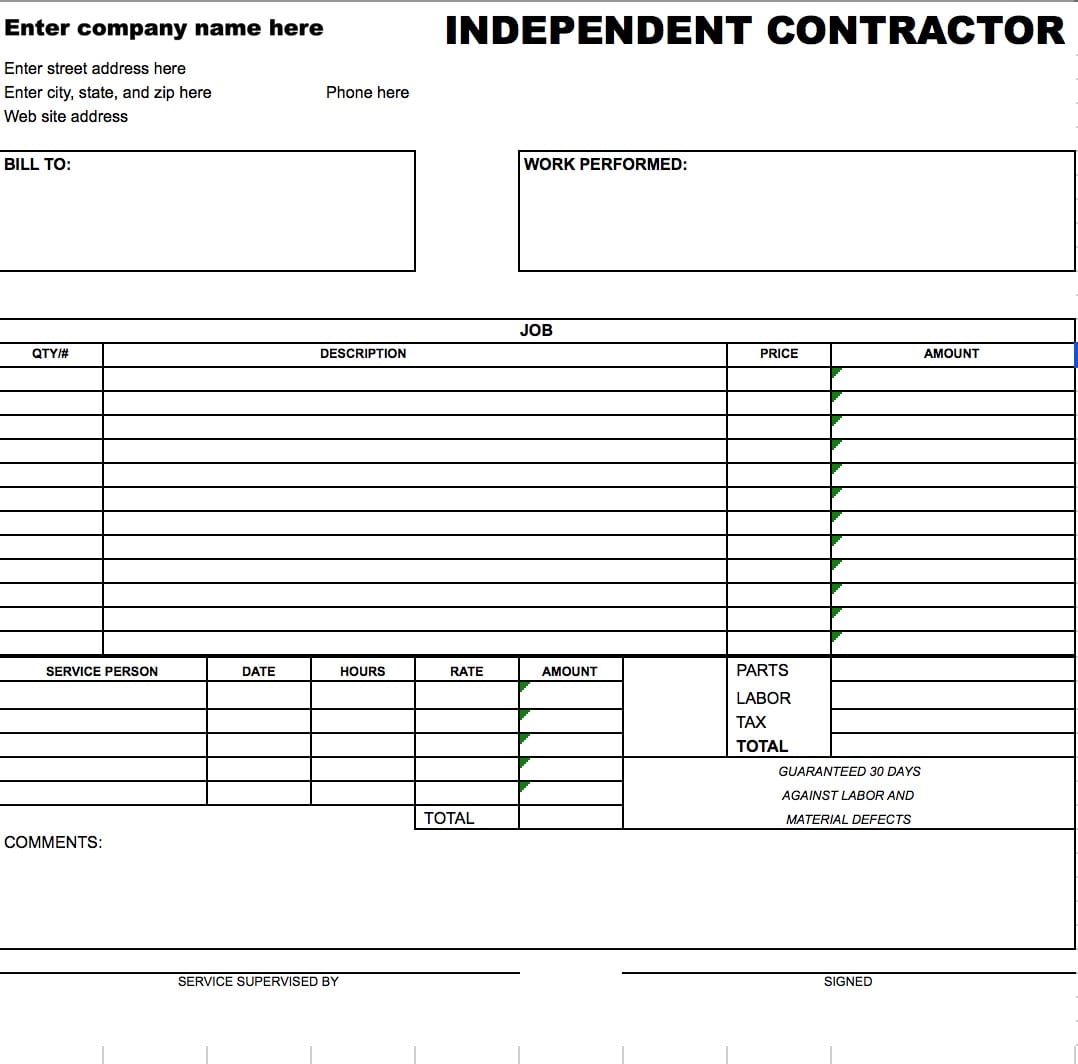 1078×1064 freelance invoice template excelxocom from excelxo.com
  1760×1140 freelance invoice template word templatenet from www.template.net
  2457×3179 invoice template freelancers from template.mapadapalavra.ba.gov.br
  1760×1140 freelancer invoice template excel google sheets from www.template.net
  1786×2527 invoice templates freelancers billdu from www.billdu.com
  1020×1320 invoice template freelancers excel blue from www.generalblue.com
  612×792 freelance invoice templates from www.invoicesimple.com
  992×1292 freelance invoice template invoicego from invoice.2go.com
 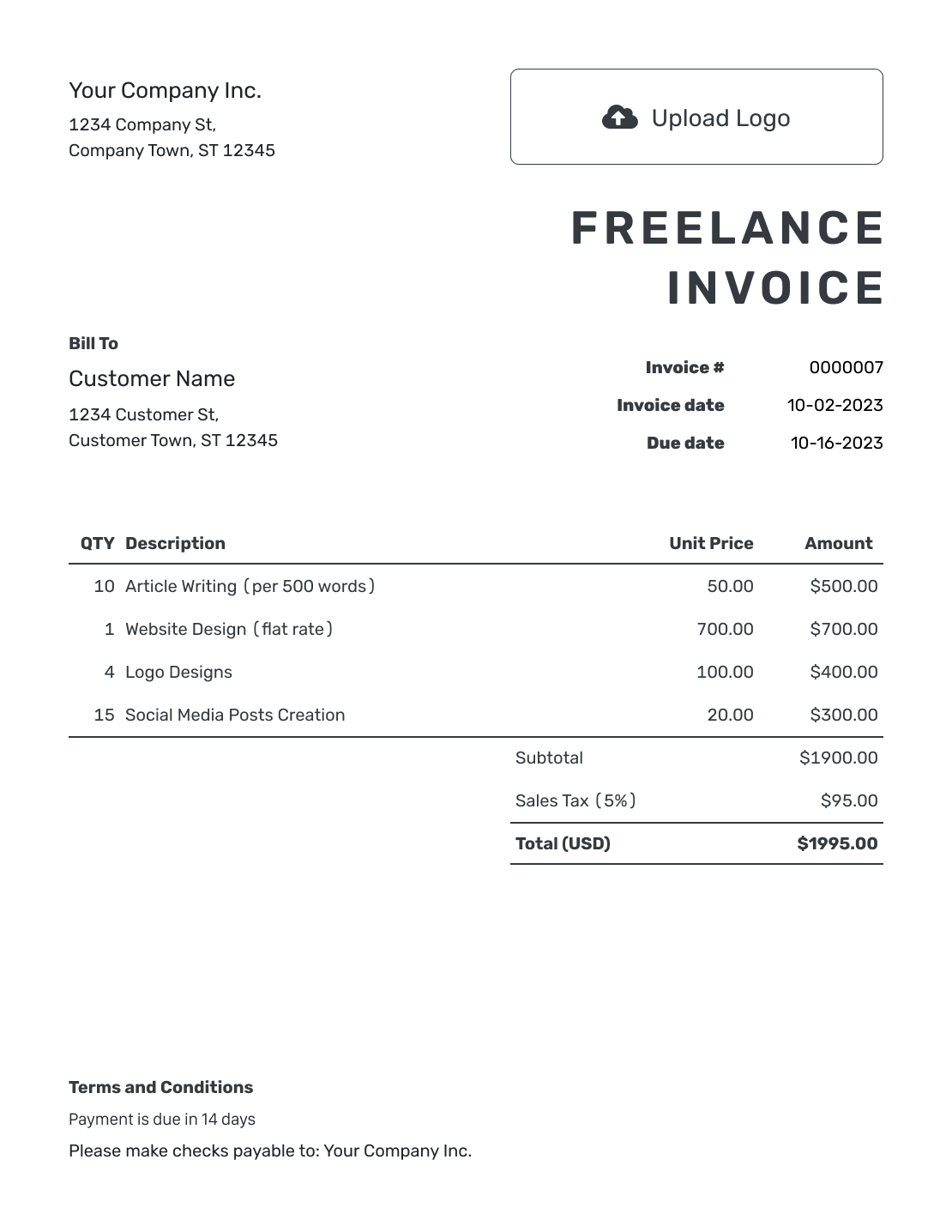 1110×1436 freelance invoice template docelfcom from docelf.com
  1760×1140 freelance consultant invoice template google docs word excel from www.template.net
  626×626 vector freelance invoice template design from www.freepik.com
 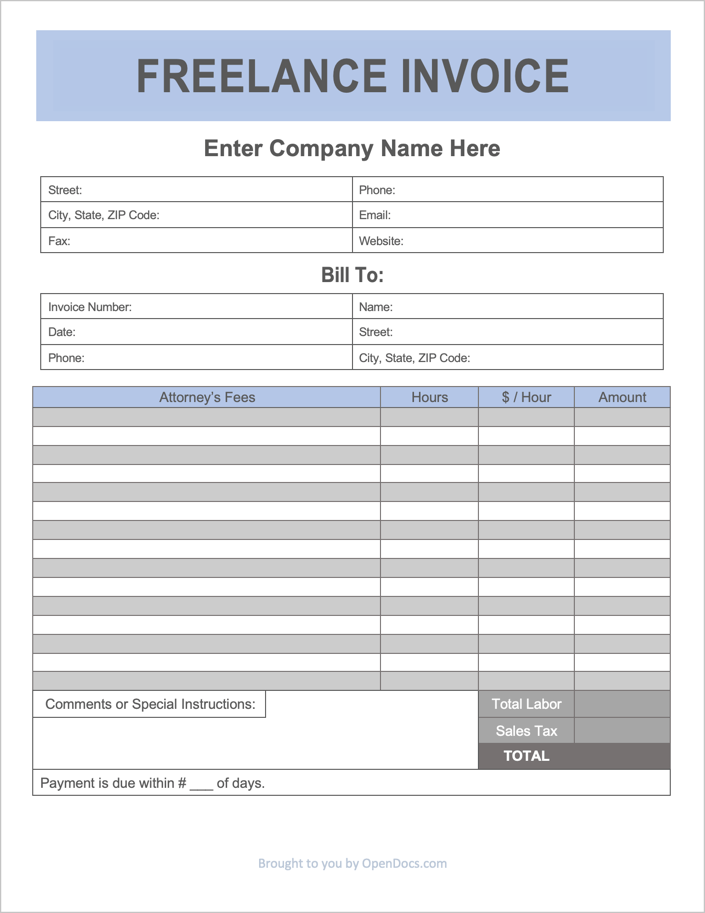 705×913 freelance invoice template cash freelance flair from bezgranic.magnit.ru
  1275×1650 freelancer invoice template template vista from templatevista.com
  1760×1140 freelance invoice template word templatenet from www.template.net
  750×500 set freelancers invoice template from designbundles.net
  1414×2000 freelance invoice template blank printable excel word from templatediy.com
  1190×1684 freelancer invoice template template coefficient from ausc.edu.au
  719×1024 freelance invoice template from old.sermitsiaq.ag
  1760×1140 freelance invoice template excel google sheets from www.template.net
  817×1057 freelance invoice templates invoice simple from www.invoicesimple.com
  650×748 freelance invoice template form templates from www.allformtemplates.com
  752×564 freelance invoice template downloadable resource aditya roy from dribbble.com


Free Invoice Template For Freelancers & Consultants :
Free Invoice Template For Freelancers & Consultants was posted in June 6, 2025 at 3:08 pm. If you wanna have it as yours, please click the Pictures and you will go to click right mouse then Save Image As and Click Save and download the Free Invoice Template For Freelancers & Consultants Picture.. Don’t forget to share this picture with others via Facebook, Twitter, Pinterest or other social medias! we do hope you'll get inspired by SampleTemplates123... Thanks again! If you have any DMCA issues on this post, please contact us!