Online Course Agenda Template
Online Course Agenda Template: A Comprehensive Guide
A well-structured online course agenda is the backbone of a successful learning experience. It provides clarity, sets expectations, and guides learners through the course content in a logical and engaging manner. A poorly designed agenda can lead to confusion, disengagement, and ultimately, a lower completion rate. This guide will explore the key components of an effective online course agenda template, offering practical tips and examples to help you create a roadmap that benefits both you and your learners.
Why Use an Agenda Template?
Before diving into the specifics, let’s understand why using an agenda template is crucial:
- Organization and Structure: A template provides a framework for organizing your content in a logical sequence. This ensures a smooth and coherent learning path.
- Consistency: Using a template across multiple modules or courses ensures consistency in presentation, making it easier for learners to navigate and understand the information.
- Time Management: An agenda helps you estimate the time required for each module, ensuring that the course is paced appropriately and that learners have enough time to absorb the material.
- Clarity and Transparency: It clearly outlines what learners will cover, learn, and achieve in each module, fostering trust and encouraging participation.
- Reduced Development Time: A pre-designed template saves you time and effort by providing a starting point for each module, allowing you to focus on content creation rather than structural design.
- Improved Learner Engagement: A well-structured agenda can increase learner engagement by providing a clear sense of purpose and progress.
Key Components of an Online Course Agenda Template
An effective online course agenda template should include the following elements:
1. Course Title and Description
Clearly state the title of the course and provide a brief description that summarizes the course’s objectives, target audience, and key topics. This sets the stage for the entire learning experience.
Example:
Course Title: Introduction to Digital Marketing
Description: This course provides a comprehensive overview of digital marketing principles and strategies. It covers topics such as SEO, social media marketing, email marketing, and content marketing. This course is designed for beginners with little to no prior experience in digital marketing.
2. Module Overview
Each module should have a dedicated overview that provides context and explains the module’s purpose within the broader course objectives. This helps learners understand how each module contributes to their overall learning goals.
Example:
Module Title: Search Engine Optimization (SEO) Fundamentals
Overview: This module introduces the fundamentals of search engine optimization (SEO). You will learn how search engines work, how to identify relevant keywords, and how to optimize your website for search engines. This module will lay the foundation for more advanced SEO techniques covered in later modules.
3. Learning Objectives
Clearly define the learning objectives for each module. Learning objectives should be specific, measurable, achievable, relevant, and time-bound (SMART). They should answer the question, “What will learners be able to do after completing this module?”
Example:
Learning Objectives:
- Define search engine optimization (SEO).
- Identify the key components of a search engine results page (SERP).
- Conduct keyword research using various tools.
- Optimize website content for relevant keywords.
- Understand the importance of link building.
4. Module Content Breakdown
This section provides a detailed breakdown of the content covered in the module. This includes lecture topics, readings, videos, and any other resources that learners will need to access.
Example:
Content Breakdown:
- Lecture 1: Introduction to SEO (15 minutes)
- Reading: “The Beginner’s Guide to SEO” by Moz (30 minutes)
- Video: Keyword Research Tutorial (20 minutes)
- Resource: List of Keyword Research Tools
- Quiz: Understanding SEO Fundamentals (10 minutes)
5. Activities and Assignments
Outline any activities or assignments that learners will need to complete to reinforce their learning. This could include quizzes, discussions, projects, or case studies. Clearly state the deadlines and grading criteria for each assignment.
Example:
Activities and Assignments:
- Quiz: Understanding SEO Fundamentals (Due: [Date])
- Discussion Forum: Share your experience with keyword research tools (Due: [Date])
- Assignment: Optimize a webpage for a given keyword (Due: [Date])
6. Estimated Time Commitment
Provide an estimate of the time required to complete each module. This helps learners manage their time effectively and avoid feeling overwhelmed.
Example:
Estimated Time Commitment: 2-3 hours
7. Resources and Materials
List all the resources and materials required for the module, including links to external websites, downloadable documents, and software tools.
Example:
Resources and Materials:
- “The Beginner’s Guide to SEO” by Moz: [Link]
- List of Keyword Research Tools: [Link]
- SEO Checklist: [Downloadable Document]
8. Assessment and Grading
Explain how learners will be assessed in the module and how their performance will be graded. This includes the weightage of each assignment and the criteria for achieving a passing grade.
Example:
Assessment and Grading:
- Quiz: 20%
- Discussion Forum: 10%
- Assignment: 70%
- Passing Grade: 70%
9. Instructor Information and Support
Provide contact information for the instructor and outline the available support channels, such as email, discussion forums, or office hours. This ensures that learners have access to help when they need it.
Example:
Instructor Information and Support:
- Instructor: [Instructor Name]
- Email: [Email Address]
- Discussion Forum: [Link]
- Office Hours: [Days and Times]
Tips for Creating an Effective Agenda Template
- Keep it Concise: Avoid overwhelming learners with too much information. Focus on the key details and keep the language clear and simple.
- Use Visual Aids: Incorporate visual aids such as icons, bullet points, and headings to make the agenda more visually appealing and easier to read.
- Be Consistent: Maintain a consistent format and style throughout the course to create a cohesive learning experience.
- Gather Feedback: Ask for feedback from learners and instructors to continuously improve the agenda template.
- Review and Update Regularly: Keep the agenda template up-to-date with the latest information and best practices.
Conclusion
A well-crafted online course agenda template is an invaluable tool for creating engaging and effective learning experiences. By incorporating the key components outlined in this guide and following the tips provided, you can create a roadmap that guides learners through your course content, helps them achieve their learning goals, and ultimately, leads to greater success.
 585×650 training agenda template employment templates word templates from www.wordtemplatesonline.org
  793×1122 training agenda template collection from lesboucans.com
 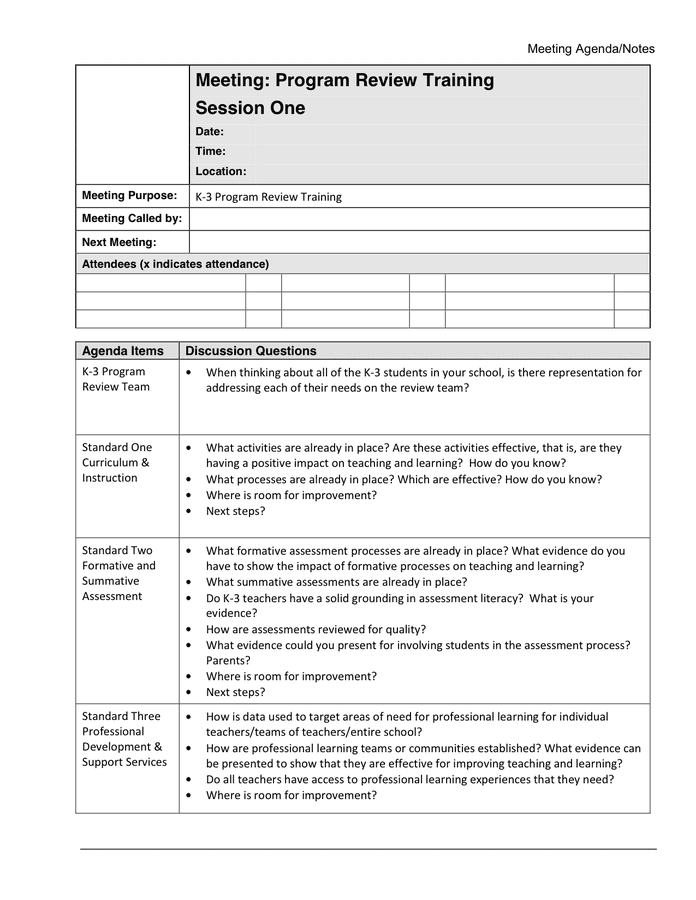 696×900 training agenda template documents word excel from www.dexform.com
  640×881 schedule planner template from pictimilitude.com
  818×659 schedule templates ms word ms excel from www.scheduletemplate.org
  768×993 templates iatse entertainment exhibition training from wssufoundation.org
  585×650 training agenda templates sample format from www.template.net
  1140×912 customizable template creator webinar from www.etsy.com



Online Course Agenda Template :
Online Course Agenda Template was posted in June 1, 2025 at 7:28 am. If you wanna have it as yours, please click the Pictures and you will go to click right mouse then Save Image As and Click Save and download the Online Course Agenda Template Picture.. Don’t forget to share this picture with others via Facebook, Twitter, Pinterest or other social medias! we do hope you'll get inspired by SampleTemplates123... Thanks again! If you have any DMCA issues on this post, please contact us!