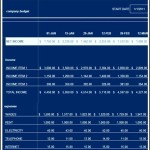
New Homeowner Budget Spreadsheet
Buying a home is a monumental achievement, but it’s just the first step in a long journey of financial responsibility. One of the most crucial tools for navigating this new chapter is a well-structured budget. Forget the days of rough mental calculations; a dedicated homeowner budget spreadsheet is your secret weapon for staying on top of expenses, managing cash flow, and building a secure financial future.
Why a Spreadsheet? Why Now?
While budgeting apps abound, a spreadsheet offers unparalleled customization and transparency. You have complete control over the categories, formulas, and visual presentation. This level of detail is particularly important for new homeowners because you’re likely encountering expenses you’ve never faced before. A spreadsheet allows you to:
* **Track every penny:** From mortgage payments to lawn care, nothing slips through the cracks. * **Visualize spending patterns:** Identify areas where you can cut back and redirect funds. * **Project future expenses:** Plan for upcoming repairs, renovations, and property taxes. * **Automate calculations:** Let formulas do the heavy lifting, saving you time and reducing errors. * **Stay motivated:** Seeing your progress towards your financial goals is incredibly rewarding.
Building Your Homeowner Budget Spreadsheet: A Step-by-Step Guide
Here’s a breakdown of the key sections and formulas you’ll need to create a comprehensive homeowner budget spreadsheet:
1. Setting Up the Foundation
Choose your preferred spreadsheet software (Google Sheets, Microsoft Excel, Numbers). Start by creating the following columns:
* **Date:** (Column A) The date of the transaction. * **Description:** (Column B) A clear and concise description of the expense or income. * **Category:** (Column C) Categorize the expense (e.g., Mortgage, Utilities, Groceries). More on categories later. * **Amount:** (Column D) The dollar amount of the expense (negative) or income (positive). * **Monthly Budget:** (Column E) Your budgeted amount for this category each month. * **Variance:** (Column F) The difference between your actual spending and your budgeted amount. (Formula: `D – E`). This column will highlight whether you’re over or under budget. * **Notes:** (Column G) Any relevant notes about the transaction (optional).
Add a row at the top for column headers. Consider formatting the ‘Amount’ and ‘Variance’ columns to display currency.
2. Defining Your Income Sources
Start by listing all your income sources at the top of the spreadsheet. Include:
* **Salary/Wages:** Your primary source of income. * **Side Hustles:** Income from freelance work, part-time jobs, or other ventures. * **Investments:** Dividends, interest, or rental income. * **Other Income:** Any other sources of income (e.g., alimony, child support).
Enter the *net* income (after taxes and deductions) for each source. This is the money that actually hits your bank account. Sum these income sources to get your total monthly income. Place this total prominently at the top of the sheet.
3. Categorizing Homeowner Expenses: The Heart of Your Budget
This is where the spreadsheet truly becomes tailored to your specific needs as a homeowner. Here’s a comprehensive list of expense categories to consider:
* **Mortgage:** * **Principal & Interest (P&I):** The core payment on your loan. * **Property Taxes:** Annual taxes divided by 12. * **Homeowner’s Insurance:** Annual premium divided by 12. * **Private Mortgage Insurance (PMI):** If applicable, your monthly PMI payment. * **Homeowner Association (HOA) Fees:** Monthly or quarterly fees. * **Utilities:** * **Electricity:** Track your monthly usage. * **Gas/Heating Oil:** Account for seasonal fluctuations. * **Water/Sewer:** Varying based on usage. * **Trash/Recycling:** Fixed or variable costs. * **Internet:** Essential for modern living. * **Cable/Streaming Services:** Consider your entertainment needs. * **Home Maintenance & Repairs:** * **Lawn Care:** Mowing, fertilizing, landscaping. * **Cleaning Supplies:** Essential for maintaining a clean home. * **Pest Control:** Regular treatments to prevent infestations. * **HVAC Maintenance:** Annual servicing of your heating and cooling systems. * **Plumbing Repairs:** Unexpected leaks and repairs. * **Electrical Repairs:** Wiring issues and appliance repairs. * **Appliance Repairs/Replacement:** Budget for the eventual replacement of major appliances. * **Roof Maintenance:** Inspections and repairs. * **Gutter Cleaning:** Prevent water damage. * **Home Improvements & Renovations:** * **Painting:** Interior and exterior. * **Flooring:** Replacing carpets or hardwood. * **Kitchen/Bathroom Remodels:** Major renovation projects. * **Landscaping:** Adding plants, patios, or decks. * **Household Supplies:** * **Toiletries:** Soap, shampoo, toothpaste. * **Paper Products:** Toilet paper, paper towels. * **Cleaning Products:** Disinfectants, detergents. * **Groceries:** * **Food:** Weekly grocery shopping. * **Household Items:** Laundry detergent, dish soap. * **Transportation:** * **Car Payment:** If you have a car loan. * **Car Insurance:** Monthly premiums. * **Gasoline:** Fuel for your car. * **Public Transportation:** Bus, train, subway fares. * **Car Maintenance:** Oil changes, tire rotations, repairs. * **Personal & Discretionary:** * **Dining Out:** Restaurants and takeout. * **Entertainment:** Movies, concerts, sporting events. * **Clothing:** New clothes and shoes. * **Personal Care:** Haircuts, salon treatments. * **Gifts:** Birthdays, holidays, special occasions. * **Hobbies:** Supplies and equipment for your hobbies. * **Travel:** Vacations and weekend getaways. * **Health & Wellness:** * **Health Insurance Premiums:** Monthly payments. * **Medical Expenses:** Doctor visits, prescriptions, dental care. * **Gym Membership:** Fitness expenses. * **Debt Payments (Other than Mortgage):** * **Credit Card Payments:** Minimum payments or larger amounts. * **Student Loan Payments:** Monthly installments. * **Personal Loans:** Fixed monthly payments. * **Savings & Investments:** * **Emergency Fund:** Building a cushion for unexpected expenses. * **Retirement Savings:** 401(k), IRA contributions. * **Investment Account Contributions:** Brokerage accounts. * **Down Payment Savings (for future property):** Saving for another home or investment property.
4. Filling in the Blanks: Estimating and Tracking Expenses
Now comes the crucial part: estimating your expenses. For fixed expenses like your mortgage and insurance, the numbers are readily available. For variable expenses like utilities and groceries, you’ll need to do some research. Look at past bills (if you have them from a previous residence), use online cost-of-living calculators, and ask neighbors for estimates. Be realistic; it’s better to overestimate than underestimate.
Enter these estimated amounts in the ‘Monthly Budget’ column for each category. As you spend throughout the month, meticulously record each transaction in the appropriate row. Be as detailed as possible in the ‘Description’ column. The ‘Amount’ should be a negative number for expenses and a positive number for income.
5. Utilizing Formulas for Automation
Spreadsheet formulas are your best friend! Here are some essential formulas:
* **Total Income:** `=SUM(range of income cells)` (e.g., `=SUM(B2:B4)`) * **Total Expenses:** `=SUM(range of expense amount cells)` (e.g., `=SUM(D2:D50)`) * **Net Cash Flow:** `=Total Income – Total Expenses` (e.g., `=B6 – D51`). This tells you how much money you have left over each month. * **Variance:** (As mentioned earlier) `=Amount – Monthly Budget` (e.g., `=D2 – E2`). Conditional formatting can be used to highlight variances; for example, color cells red if the variance is negative (over budget) and green if the variance is positive (under budget).
6. Analyzing and Adjusting Your Budget
At the end of each month, review your spreadsheet carefully. Pay close attention to the ‘Variance’ column. Identify categories where you consistently overspend or underspend. Ask yourself:
* **Are my initial estimates accurate?** Adjust your budgeted amounts based on your actual spending. * **Can I reduce spending in certain categories?** Look for areas where you can cut back without sacrificing your quality of life. * **Am I allocating enough money to savings?** Prioritize building an emergency fund and saving for retirement. * **Are there any unexpected expenses I need to account for?** Prepare for irregular expenses like car repairs or medical bills.
Your budget is a living document that should evolve as your circumstances change. Revisit it regularly (at least monthly) and make adjustments as needed. Consider adding a ‘Previous Month’s Actual’ column to track your spending trends over time.
7. Advanced Tips for Spreadsheet Mastery
* **Conditional Formatting:** Use color-coding to highlight important data, such as over-budget categories or large expenses. * **Charts and Graphs:** Visualize your spending patterns with charts and graphs. Pie charts are great for showing the breakdown of your expenses by category. Line graphs can track your income and expenses over time. * **Pivot Tables:** Create pivot tables to summarize your data in different ways. For example, you can create a pivot table that shows your total spending by category for each month. * **Google Sheets Sharing:** Share your Google Sheets spreadsheet with your partner or financial advisor for collaborative budgeting. * **Automated Import:** Some banks and credit card companies allow you to export your transactions as CSV files. You can then import these files into your spreadsheet to save time on data entry. * **Yearly Summary Tab:** Create a separate tab to summarize your spending for the entire year. This will give you a bird’s-eye view of your finances and help you track your progress towards your long-term goals.
Conclusion
A homeowner budget spreadsheet is more than just a collection of numbers; it’s a powerful tool for financial empowerment. By taking the time to create and maintain a detailed budget, you’ll gain a clear understanding of your finances, make informed decisions about your spending, and build a secure financial future for yourself and your family. Remember, the key to success is consistency. Make budgeting a habit, and you’ll reap the rewards for years to come.
 1024×791 home building budget spreadsheet construction budget spreadsheet from db-excel.com
  474×307 spreadsheet home construction budget home construction from db-excel.com
  750×970 buying house budget spreadsheet buying house budget from db-excel.com
  791×1024 home budget spreadsheet db excelcom from db-excel.com
  791×1024 home renovation budget spreadsheet oninstall home from db-excel.com
  601×778 home construction budget spreadsheet db excelcom from db-excel.com
  750×970 home construction budget worksheet spreadsheet db excelcom from db-excel.com
  1295×1670 hoa budget spreadsheet printable spreadshee hoa budget spreadsheet from db-excel.com
  1280×800 home budget spreadsheet spreadsheet building home from db-excel.com
  1024×793 home construction budget spreadsheet google spreadshee home from db-excel.com
  750×970 home building budget spreadsheet regard home construction from db-excel.com
  1275×1650 spreadsheet home construction budget google spreadshee budget from db-excel.com
  1707×943 home budget spreadsheet australia google spreadshee home budget from db-excel.com
  1327×707 owner builder budget spreadsheet spreadsheet downloa owner builder from db-excel.com
  804×970 house building budget spreadsheet google spreadshee house building from db-excel.com
  768×1024 owner builder budget spreadsheet house construction estimate from db-excel.com
  1252×970 home building budget spreadsheet google spreadshee home construction from db-excel.com


New Homeowner Budget Spreadsheet :
New Homeowner Budget Spreadsheet was posted in July 17, 2025 at 9:02 pm. If you wanna have it as yours, please click the Pictures and you will go to click right mouse then Save Image As and Click Save and download the New Homeowner Budget Spreadsheet Picture.. Don’t forget to share this picture with others via Facebook, Twitter, Pinterest or other social medias! we do hope you'll get inspired by SampleTemplates123... Thanks again! If you have any DMCA issues on this post, please contact us!
Related For New Homeowner Budget Spreadsheet

Wedding Budget Spreadsheet Template
Wedding Budget Spreadsheet Template Excel Example Sample Warning Letter